


DeepL
DeepL translates text and whole Word, PowerPoint and PDF files, with glossaries, style rules and a Pro promise that your texts aren't used for training.
Sign in to rate this tool.
Overview
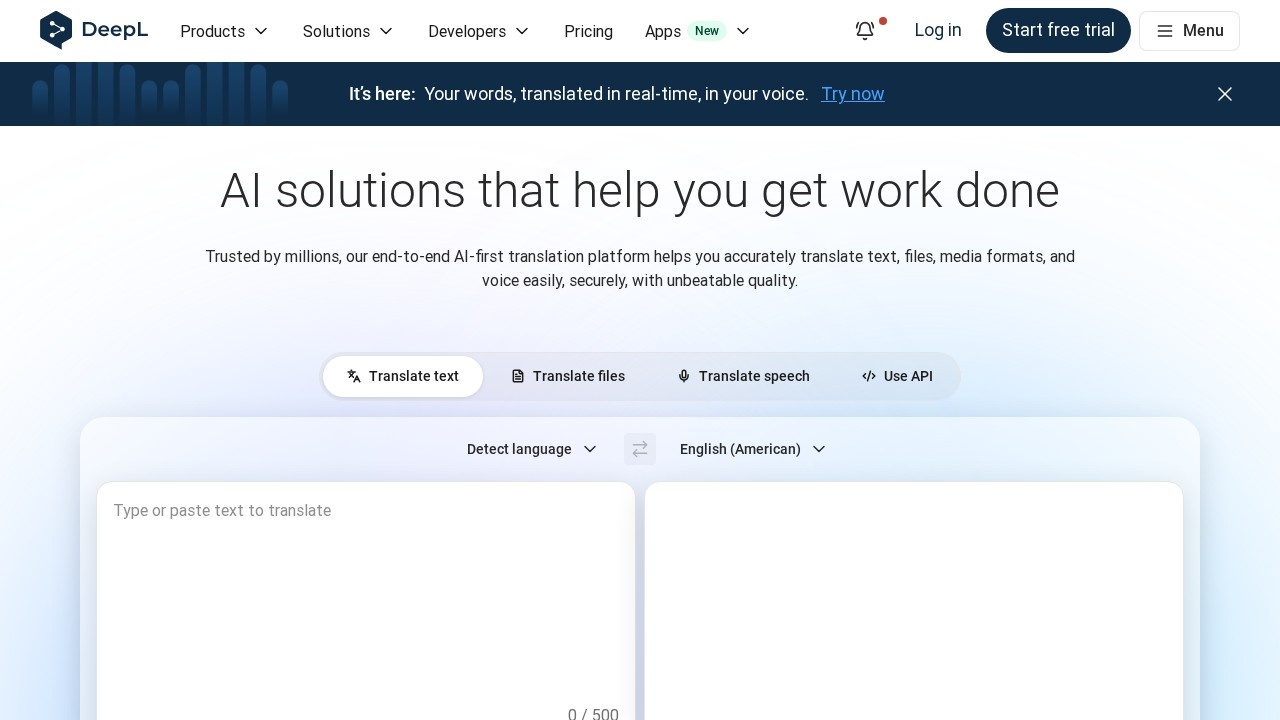
DeepL is an AI translator that the company says is used by more than 200,000 businesses. You can paste text, drag in a PDF, Word (.docx) or PowerPoint (.pptx) file to translate the whole document, or use DeepL Voice for real-time speech translation.
The company has built a lot around the core translator. DeepL Write is a separate writing assistant for polishing text in the same language. There are desktop and mobile apps, browser extensions that work inside Gmail, Google Docs and Google Slides, and integrations for Microsoft Word and Microsoft 365. DeepL is also available inside Microsoft Copilot, ChatGPT and Claude through MCP, and developers can get a free API key.
Free vs. Pro
The free translator handles everyday text, but it has limits: 50,000 characters a month, 1 file translation (up to 5 MB) and 1 glossary with 5 entries. The paid tiers mainly buy you volume, file translation, customisation and privacy. With a Pro plan, DeepL says your texts are never used to train its models and are deleted once processed.
Prices on the official pricing page, checked October 2026. DeepL sets prices by country, and the page showed us euro pricing for Germany with VAT included, billed annually (annual saves 16%). US and other prices differ, so pick your country on the page:
- Individual, €7.49/month: 300,000 characters, 3 file translations, 1 glossary, full-page translation.
- Team, €24.99 per user/month: 1,000,000 characters per user, 20 files, 5 glossaries, shared style rules, team admin, SSO for 50+ users.
- Business, €49.99 per user/month: unlimited characters under a fair-use policy, 100 files up to 100 MB, translation memory, SCIM.
- Enterprise: custom.
Individual and Team come with a 30-day free trial. Write Pro is an add-on at €6.99 per user/month. PayPal isn't accepted.
Who it's for
DeepL is aimed squarely at business use: document translation, customer support, internal communication and marketing are the use cases it lists. Glossaries, shared style rules and a formal/informal tone switch matter if your company needs the same term translated the same way every time, and whole-file translation beats copy-pasting a long report paragraph by paragraph.
The downsides: the free file allowance is tiny, team pricing adds up quickly per seat, and serious professional use (contracts, medical, legal) still needs a human check. DeepL's own pricing table puts SSO behind a 50-user minimum, which smaller companies may find annoying.
Alternatives
General assistants like ChatGPT and Claude can translate too, with more flexibility but less file handling. For grammar and style in the same language, compare DeepL Write with Grammarly or LanguageTool.
Details
- Pricing
- Freemium
- Release date
- 2026-02-14
- Last checked
- 14h ago
- Indexing
- index, follow
- Category
- Translation
Suggest an edit
Sign in to suggest an edit.
Alternatives
 MachinetranslationIt is a practical choice for ai seo work, and the honest way to evaluate it is to give it a spin. Start at machinetranslation.com for the latest information. Teams...
 Gpt TranslatorAI-powered translation platform using GPT technology for accurate and instant translations.
 Subtitlesdog Best AI Subtitle TranslatorAI-powered subtitle translator for fast, high-quality video translations in 100+ languages.
 Tolgee AI TranslatorTolgee AI Translator is a ai writing assistant that focuses on one thing: making the work easier. It skips unnecessary clutter and gets straight to useful output. There is a...
 Image Translator Manga TranslatorThe feature set covers the basics well and adds thoughtful extras - keyboard shortcuts, reusable templates, and clean sharing options - without overwhelming you. Image Translator Manga Translator is a...
 PinchReal-time AI voice translation for video conferencing in 30+ languages.
 Coefont CloudAI Voice Hub offering text-to-speech, voice changing, and AI voice creation.
 FixkeyAI writing assistant for Mac that adapts to your style.
 Ecango ComEcango is an AI-powered tool for fast and accurate audio and video transcription and translation.
 Type AIIt fits naturally into daily work. Whether you are handling a single quick task or a batch that would eat an afternoon, the tool keeps the pace steady. Type AI...
 BanvaBrowser-based AI subtitling, transcription, and translation platform supporting 90+ languages.
 ChatPDFChatPDF lets you upload a PDF, Word, PowerPoint or text file and ask questions, with answers that cite the page they came from.
Pros and cons
Pros
- Translates documents into 100+ languages while keeping the original layout intact.
- Paid plans promise your texts are not used to train its models.
- Desktop, mobile, and browser extension apps are all available.
- Individual plan starts at €7.49 a month billed annually, with a 30-day trial.
- A free API key is offered for developers testing integrations.
Cons
- The Individual plan allows only three file translations a month.
- Team plan costs €24.99 per user, which adds up for larger groups.
- Write Pro is a separate add-on rather than included in base plans.
Checked 2026-10-19. · www.deepl.com/en · www.deepl.com/en/pro