


Auto Gmail Chatgpt For Email
Auto Gmail Chatgpt For Email is a ai chatbots assistant that focuses on one thing: making the work easier. It skips unnecessary clutter and gets straight to useful output. It...
Sign in to rate this tool.
Overview
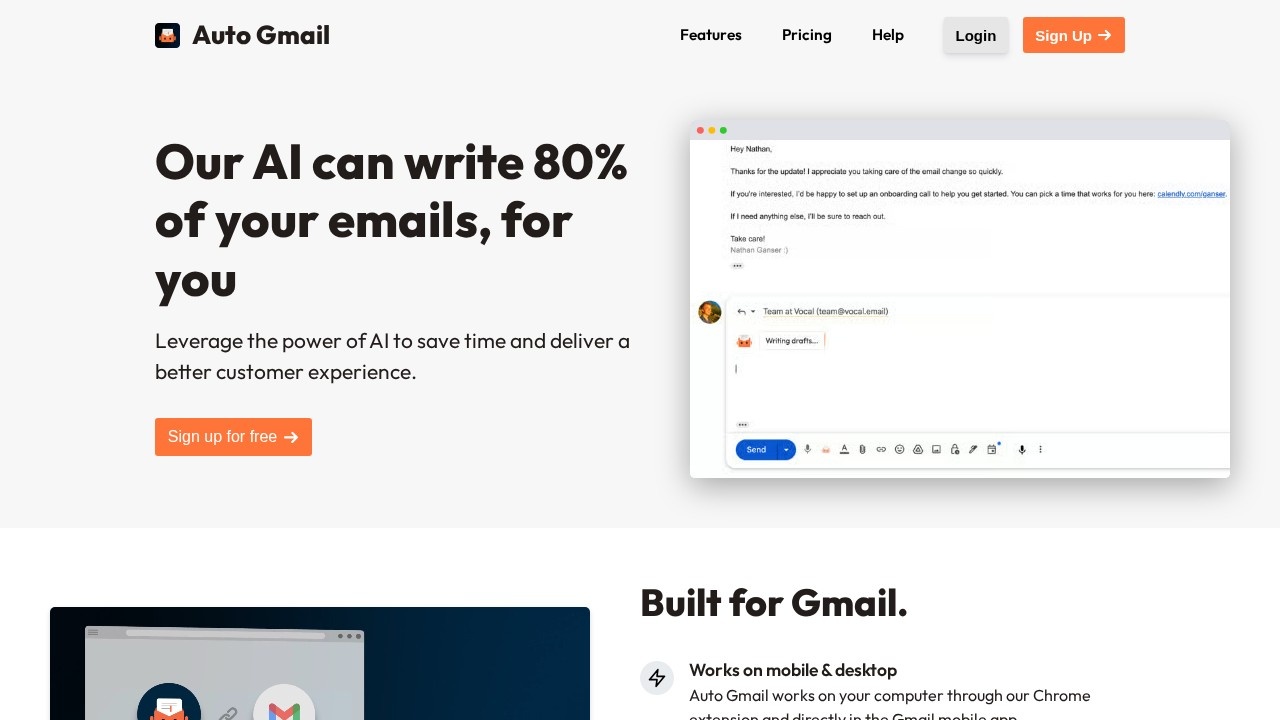
Auto Gmail is an AI assistant for Gmail that writes email drafts for you. The company claims its AI can write 80 percent of your emails. It works on desktop through a Chrome extension and directly in the Gmail mobile app, so you keep using Gmail as before.
Learning from your inbox
Auto Gmail reads through your emails to learn about you and your writing style. When you open a thread, it starts writing a draft straight away, using what it knows about you and the recipient. You do not need to type a prompt.
Background generation
You can enable a background mode that generates drafts even when you are away from your inbox. When you return, replies are waiting for you to review, edit and send. This suits people who handle many similar messages, such as customer enquiries.
Context and customisation
Paid plans let you edit drafts with AI, add your own context, such as documents or text, and add a custom signature. Adding context, like product details or policies, helps the drafts give correct answers.
Pricing
The free plan is meant for testing and allows up to five messages a day with limited features. The Starter plan is 27 dollars a month, or 297 dollars a year, and includes up to 600 drafts a month, about 30 a day, along with AI draft editing, custom context and a custom signature. Higher plans offer more drafts.
Who it suits
Auto Gmail suits founders, support staff, salespeople and anyone who spends a large part of the day answering email in Gmail and wants a first draft ready for each thread.
Things to consider
Giving an AI tool permission to read your whole inbox is a significant privacy decision. Read how Auto Gmail stores and processes your emails, and check your company's policy before connecting a work account. Always review drafts before sending, as AI can misstate facts, prices or commitments. Start on the free plan to see how closely drafts match your style. Keeping the context documents up to date will improve accuracy over time.
For busy Gmail users, the free tier is a low-risk way to try automatic drafting. Measure how often drafts can be sent with only light edits.
Details
- Pricing
- Freemium
- Release date
- 2025-08-06
- Last checked
- 4d ago
- Indexing
- index, follow
- Category
Suggest an edit
Sign in to suggest an edit.
Alternatives
 Filo MailThe tool is free, which keeps the barrier to entry low. You can try it before deciding whether it earns a permanent place in your workflow. It is a practical...
 Quills AIFor a straightforward look at an option like this, Quills AI is a sensible place to start. Visit quills.ai to see live examples and up-to-date details. The tool is free,...
 Voicetype AIAI-powered dictation app that transcribes, edits, and auto-formats speech into text.
 CustomgptIf ai chatbots tasks are part of your routine, Customgpt is worth testing against your own use cases. Their website, customgpt.ai, has the full details. Collaboration hooks are there too...
 Read Speaker CoachIt may be useful to professionals exploring ai marketing workflows; suitability...
 Cover Letter CopilotIt may be useful to professionals exploring ai coding workflows; suitability depends...
 Google GeminiGoogle Gemini review (October 2026): features, verified Free, AI Plus, AI Pro and AI Ultra pricing, who it suits, pros, cons and alternatives.
 SimplifySimplify is a ai recruiting assistant that focuses on one thing: making the work easier. It skips unnecessary clutter and gets straight to useful output. For a straightforward look at...
 AnywordTeams running regular ai writing campaigns turn to it for repeatable output, and solo creators use it to push through tasks that would otherwise stall their day. The feature set...
 Granter AIWhat stands out most is predictability. The same input produces dependable output, which matters when you are producing work for clients or publishing on a schedule. Pricing is free, and...
 ChatGPTChatGPT review (October 2026): features, verified Free, Go, Plus and Pro pricing, who it suits, pros, cons and alternatives on AIMAPER.
 Golinks Search Powered By ChatgptIf ai recruiting tasks are part of your routine, Golinks Search Powered By Chatgpt is worth testing against your own use cases. Their website, golinks.io, has the full details. The...