


Flowsavvy
For anyone who lives in the ai agents space, Flowsavvy is a refreshing find. The setup is light, the results are solid, and nothing is hidden behind menus. It also...
Sign in to rate this tool.
Overview
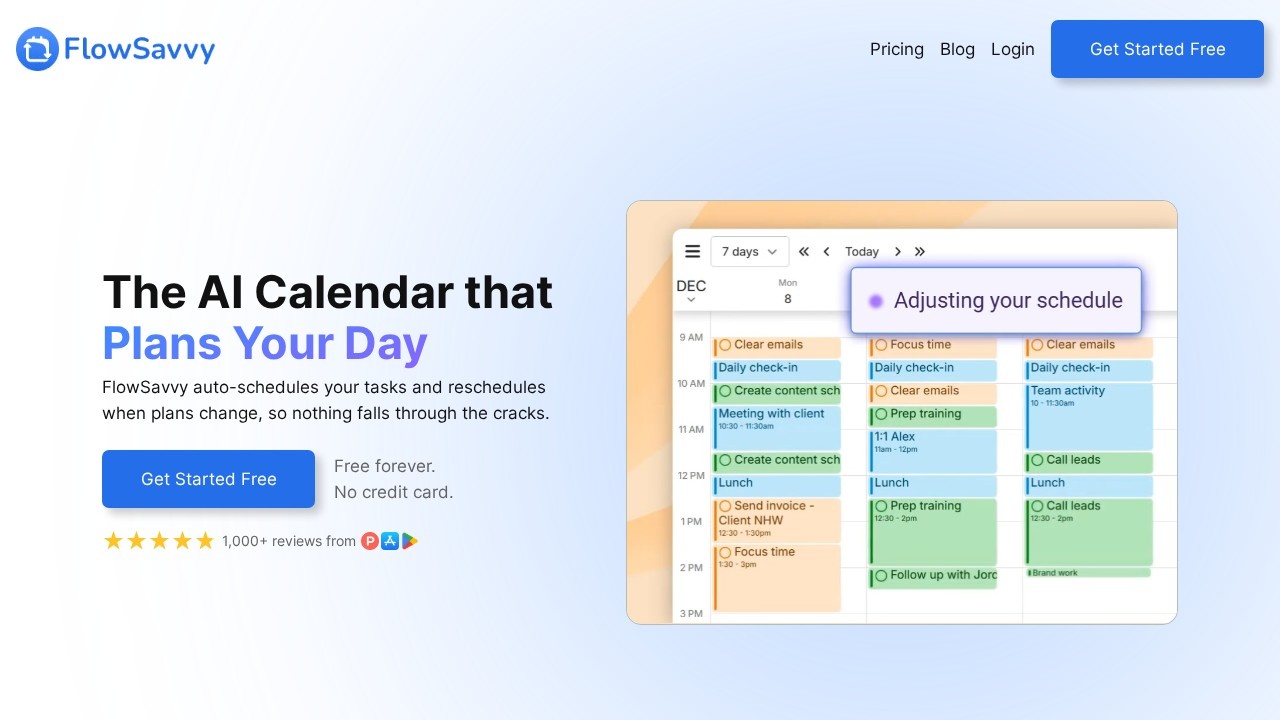
FlowSavvy is an AI calendar and task planner that takes your to-do list and fits it into your calendar automatically. You add tasks with priorities and deadlines, and the app works out when to do each one. When plans change, it reschedules the remaining tasks so that you don't have to rearrange time blocks by hand. The company reports more than 100,000 sign-ups and over 1,000 reviews.
Auto-scheduling
FlowSavvy considers your priorities, deadlines and working hours, then places tasks into open slots in your calendar. If something takes longer than expected or a new commitment appears, the schedule adjusts. If you fall behind, a recalculate button moves missed tasks back into the calendar so they are not forgotten. Reviews quoted on the site describe it as reducing the mental load of planning.
Calendar sync and apps
The app syncs with Google Calendar, Outlook and iCloud, and offers fully featured web, iOS and Android versions, so your plan stays the same across devices.
Pricing
The Basic plan is free forever and includes unlimited auto-reschedules, auto-scheduling up to two weeks ahead, calendar sync, one set of scheduling hours, three repeating auto-scheduled tasks and five task lists. Pro costs $14 per month billed monthly or $10 per month billed yearly. It extends auto-scheduling to eight weeks ahead, syncs FlowSavvy tasks to your external calendar, and allows unlimited scheduling hour profiles, for example separate work and personal hours, and unlimited repeating tasks. No credit card is needed to start.
Who it suits
FlowSavvy suits students, freelancers and professionals with many tasks and deadlines who like time blocking but find it tedious to maintain by hand.
Things to consider
Auto-scheduling works best when task durations and deadlines are realistic, so expect to adjust estimates during the first weeks. Check how the app handles meetings created by others and shared calendars. People whose days are mostly meetings may get less benefit than those with lots of focused task work. Review the permissions granted when connecting your calendar accounts.
A good way to evaluate it is to load one real week of tasks on the free plan, let the app build the schedule, and see how well the plan holds up when interruptions happen. The two-week horizon on the free plan is enough for most people to judge whether auto-scheduling suits the way they work.
Details
- Pricing
- Freemium
- Release date
- 2026-01-19
- Last checked
- 4d ago
- Indexing
- index, follow
- Category
- Planning
Suggest an edit
Sign in to suggest an edit.
Alternatives
 Trevorai ComThe whole experience is built around finishing things. From the first run onward, you are guided toward complete, usable results rather than half-finished experiments. If ai productivity tasks take up...
 LoadmuscleAI workout generator for personalized fitness plans and progress tracking.
 Plan Quest BetaIt is a practical choice for ai writing work, and the honest way to evaluate it is to give it a spin. Start at plans.quest for the latest information. Plan...
 ComposioIt fits naturally into daily work. Whether you are handling a single quick task or a batch that would eat an afternoon, the tool keeps the pace steady. It also...
 Resleeve AITeams running regular ai image generation campaigns turn to it for repeatable output, and solo creators use it to push through tasks that would otherwise stall their day. The tool...
 Opendialog AIFor anyone who lives in the ai agents space, Opendialog AI is a refreshing find. The setup is light, the results are solid, and nothing is hidden behind menus. The...
 Autocalls AI AI Phone CommunicationsThe feature set covers the basics well and adds thoughtful extras - keyboard shortcuts, reusable templates, and clean sharing options - without overwhelming you. Before you decide, skip the speculation...
 Retell AIYou will find a free plan, making it easy to test the tool against your own needs first. The practical way to judge it is to use it. Students and...
 CirclechatIf ai chatbots tasks take up too much of your day, Circlechat is built to give you time back. It handles the heavy lifting while leaving you in control. You...
 ManusManus is a general AI agent that plans and carries out multi-step tasks, from research reports to slides and websites, on a credit system.
 GensparkGenspark is an AI workspace with agents for slides, sheets, docs, email, design, code and media, plus plugins for Google Workspace and Microsoft 365.
 TavilyThe feature set covers the basics well and adds thoughtful extras - keyboard shortcuts, reusable templates, and clean sharing options - without overwhelming you. Freelancers use it to keep client...