


Free Outline Image Generator
Freelancers use it to keep client work moving, while in-house teams rely on it for consistent output across projects. Either way, the routine parts of ai image generation work get...
Sign in to rate this tool.
Overview
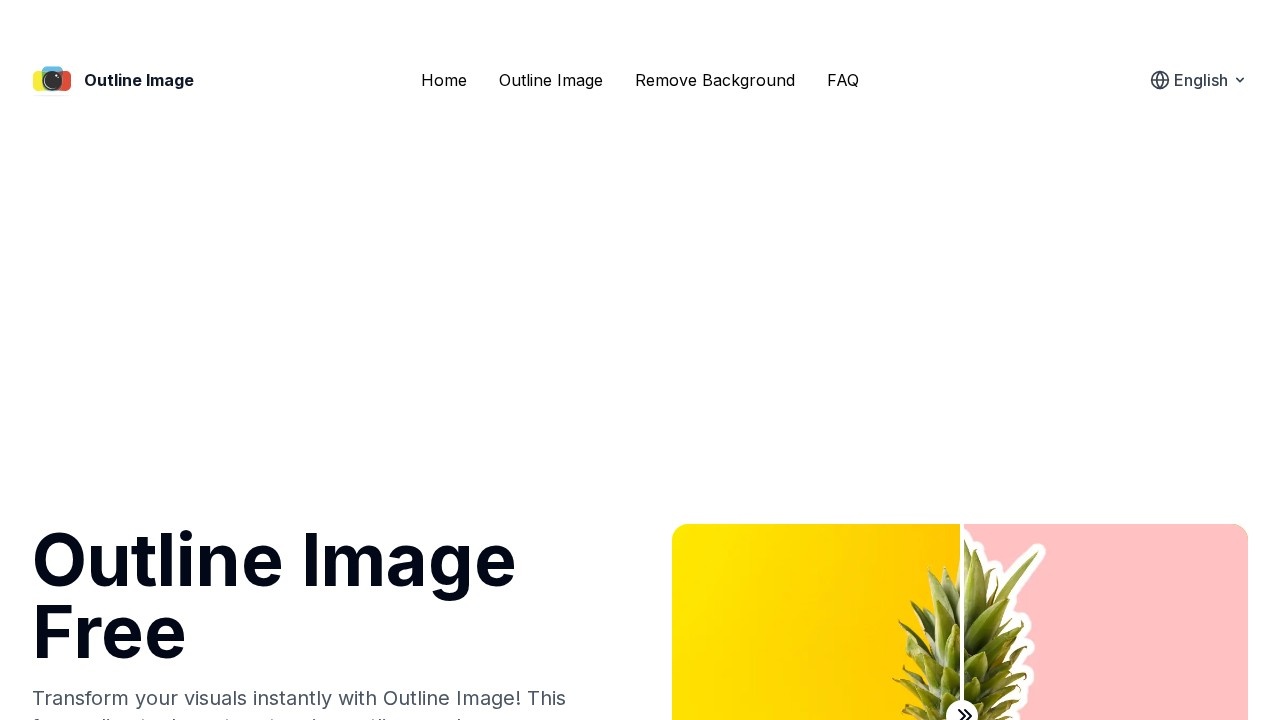
Outline Image is a free web tool that adds an outline around the subject of a photo. It first removes the background with AI, then draws a border around the subject in the colour and thickness you choose. The result is the sticker-like look often used in thumbnails, social posts and presentations. No sign-up is required.
How it works
There are three steps. First, upload your image, and the AI removes the background automatically so the main subject stands out. Second, add the outline: choose a colour and adjust the thickness until it looks right, and you can experiment as many times as you like. Third, download the finished image with one click.
Uses
Outlined cut-outs are popular for YouTube thumbnails, where a person or product needs to stand out against a busy background. They also work for social media graphics, stickers for messaging apps, presentation slides, product highlights, school projects and printed labels. Because the background is removed, you can place the outlined subject on any new background in another editor.
FAQs
The site's FAQ covers upload restrictions, processing time, background removal and how to change the outline colour. Check these for current file size and format limits.
Pricing
The tool is free to use, with no account needed.
Who it is for
It suits content creators making thumbnails, social media managers, teachers and students making slides, and small sellers who want quick product graphics without learning a full editing program.
Things to consider
Background removal works best when the subject is clear and has good contrast with the background. Hair, fur, glass and fine details may be cut off unevenly, so check the edges before using the image. The tool does one job, so for more complex edits you will still need a general image editor. Free online tools vary in how they store uploads, so read the privacy policy and avoid uploading private or sensitive photos. Only use images you own or have permission to use, especially when posting them publicly or using them commercially.
For a quick, free way to make a subject stand out, it is a simple option that is worth trying before paying for a larger design tool. It also works well alongside free editors.
Details
- Pricing
- Free
- Release date
- 2026-04-03
- Last checked
- 4d ago
- Indexing
- index, follow
- Category
- Image
Suggest an edit
Sign in to suggest an edit.
Alternatives
 Scenario ComFreelancers use it to keep client work moving, while in-house teams rely on it for consistent output across projects. Either way, the routine parts of ai image generation work get...
 Patchwork TattoosPatchwork Tattoos is an AI tattoo and image generation tool for exploring patchwork tattoo ideas, sleeve inspiration, filler concepts, and design variations. Users can generate or remix visual tattoo concepts…
 SloneekFreelancers use it to keep client work moving, while in-house teams rely on it for consistent output across projects. Either way, the routine parts of ai image generation work get...
 Webo AIFreelancers use it to keep client work moving, while in-house teams rely on it for consistent output across projects. Either way, the routine parts of ai image generation work get...
 Consistent Character AI ORGFor anyone who lives in the ai image generation space, Consistent Character AI ORG is a refreshing find. The setup is light, the results are solid, and nothing is hidden...
 ModeliaSmall operations appreciate the low setup cost, and larger teams value the consistency. Both end up spending less time on busywork and more on the actual result. Modelia is a...
 Resleeve AITeams running regular ai image generation campaigns turn to it for repeatable output, and solo creators use it to push through tasks that would otherwise stall their day. The tool...
 ArtblastaiIt is a practical choice for ai image generation work, and the honest way to evaluate it is to give it a spin. Start at artblastai.com for the latest information....
 MidjourneyMidjourney review (October 2026): AI image and video generator features, verified Basic to Mega pricing, licensing, pros, cons and alternatives.
 Popai ProIt also plays nicely with the rest of your stack. Links and files move in and out easily, so the tool sits naturally beside the software you already rely on....
 Depix AIThe tool is free, which keeps the barrier to entry low. You can try it before deciding whether it earns a permanent place in your workflow. What stands out most...
 AI Ease AI Photo EditorSmall operations appreciate the low setup cost, and larger teams value the consistency. Both end up spending less time on busywork and more on the actual result. It also plays...