


Cleanup.pictures
Cleanup.pictures removes unwanted objects, people, text and defects from photos in the browser, free at 720px or full resolution with Pro.
Sign in to rate this tool.
Overview
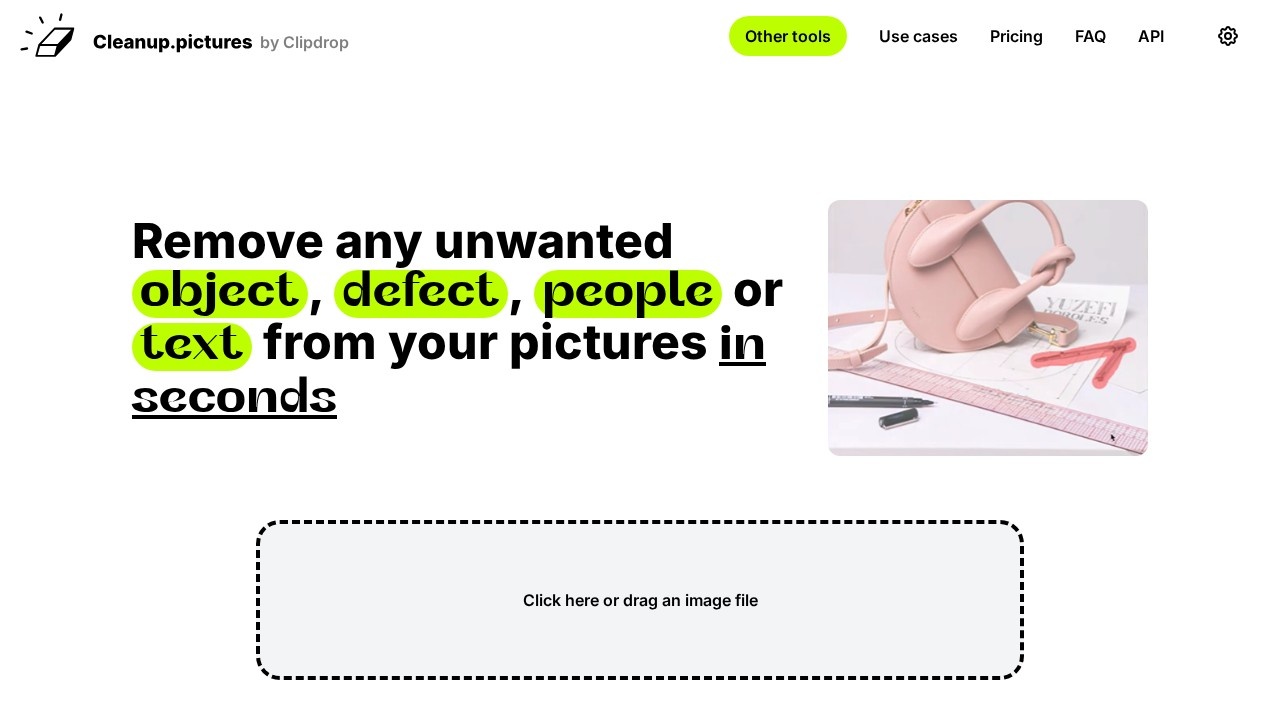
Cleanup.pictures does one thing: it removes things you don't want from a photo. Brush over an object, a person, a date stamp, a crack or some text, and the AI fills the area so it looks like it was never there. It runs in the browser, and it's made by the Clipdrop team (now part of Jasper).
The official site lists who uses it and why:
- Photographers removing time stamps or tourists from holiday shots, cleaning up portraits for profile pictures and repairing cracks in old photographs.
- Creative agencies remixing existing photos by replacing parts of them.
- Estate agents clearing clutter from room photos and removing personal items.
- Online stores tidying product images for listings and social media.
It can also remove logos and watermarks. Only do that on images you own or have permission to edit.
Free and Pro
The free version lets you edit unlimited images of any size, but exports are limited to 720 pixels. Pro removes the limit, so you can process and download images in full resolution, and adds a higher-quality refiner. According to the official pricing page (checked October 2026), Pro costs $5 a month or $36 a year, which works out to $3 a month. A free trial lets you test HD quality before buying, and the site asks you to use it to make sure the tool fits your needs, since it's treated as your evaluation period.
There's also an inpainting API for developers, with separate pricing, and Clipdrop Pro includes Cleanup along with other tools such as background removal, background replacement and uncrop.
When to use it
Use Cleanup.pictures when you have a good photo with one or two problems and want them gone in seconds. If you need a full editor, layers or new image generation, a broader tool is a better fit.
Pros: very simple; works in the browser with no install; low-cost Pro plan.
Cons: free downloads are small; it only removes things and doesn't create new images.
Alternatives
Clipdrop gives you Cleanup plus many more tools in one subscription. Picsart and Fotor are full photo editors with object removal built in.
Details
- Pricing
- Freemium
- Release date
- 2025-10-09
- Last checked
- 14h ago
- Indexing
- index, follow
- Category
- Image
Suggest an edit
Sign in to suggest an edit.
Alternatives
 ClipdropClipdrop by Jasper offers quick AI image tools for background removal, cleanup, relighting, uncrop and upscaling, free with daily limits or Pro at $15 a month.
 AI Photo EditorIf ai image generation tasks take up too much of your day, AI Photo Editor is built to give you time back. It handles the heavy lifting while leaving you...
 PixlrPixlr is a free browser photo editor with AI generation, generative fill, upscaling and video and audio tools, plus cheap Plus, Premium and Ultra plans.
 FotorFotor is an online photo editor and design tool with dozens of one-click AI tools for enhancing, removing, styling, generating images and video.
 PicWishPicWish is a simple AI photo editor for background removal, enhancement, AI design and product images, with free, Pro, Max and pay-as-you-go options.
 AI Profile Picture MakerThe feature set covers the basics well and adds thoughtful extras - keyboard shortcuts, reusable templates, and clean sharing options - without overwhelming you. Built for ai image generation work,...
 SharpniqThe flexibility shows when the same tool is used to sketch a quick idea in the morning and to polish final work in the afternoon. Sharpniq brings a fresh take...
 CraiyonCraiyon makes AI images from plain-language prompts with no account needed, and adds paid editing credits, private images and no watermarks.
 Image to Claymation AI GeneratorImage to Claymation AI Generator appears...
 AI Ease AI Photo EditorSmall operations appreciate the low setup cost, and larger teams value the consistency. Both end up spending less time on busywork and more on the actual result. It also plays...
 Passport MakerPower users get deeper controls, while casual users can ignore them. The result is a tool that scales from quick one-off tasks to larger recurring workloads. Passport Maker is a...
 Fluxai Art Free AI Image GeneratorRather than chasing every possible feature, Fluxai Art Free AI Image Generator picks the ones that matter and does them well. That restraint is noticeable the first time you open...
Pros and cons
Pros
- very simple
- works in the browser with no install
- low-cost Pro plan
Cons
- free downloads are small
- it only removes things and doesn't create new images