


Beam
For a straightforward look at an option like this, Beam is a sensible place to start. Visit getbeam.ai to see live examples and up-to-date details. The feature set covers the...
Sign in to rate this tool.
Overview
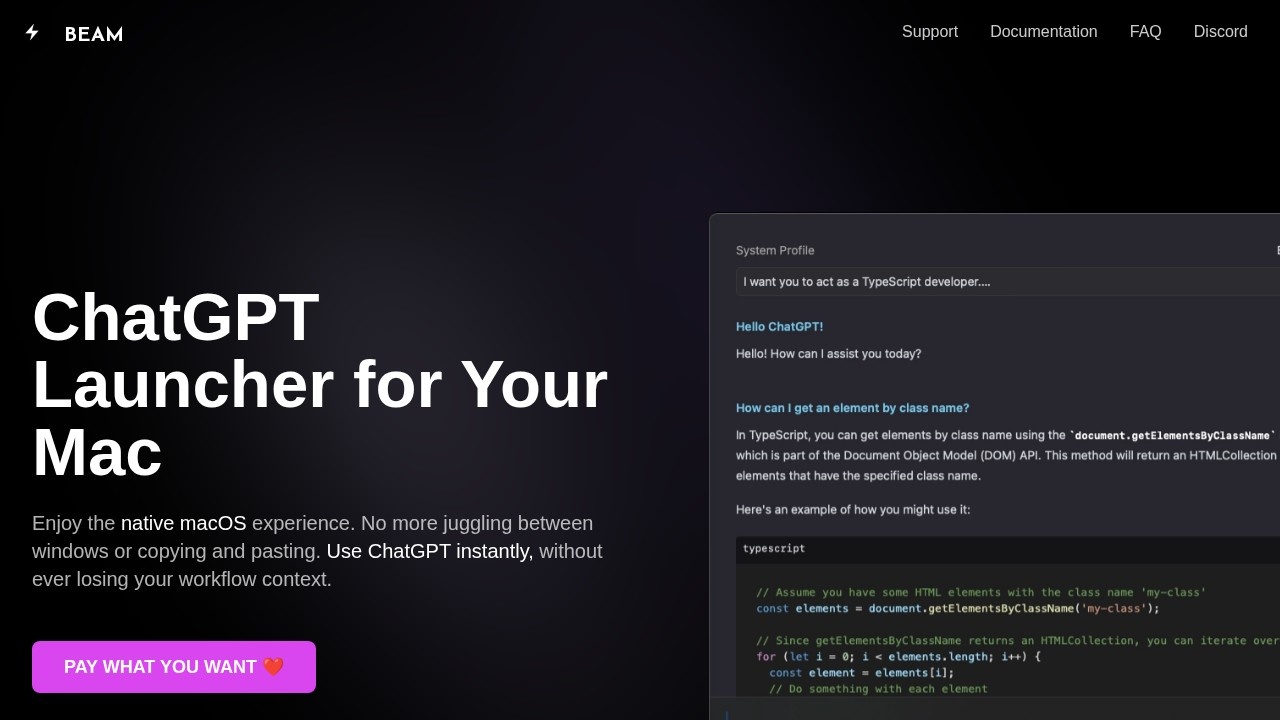
Beam is a native macOS app that puts ChatGPT one hotkey away. Instead of switching to a browser tab and copying and pasting, you press CTRL+Space to open a floating chat panel over whatever you are working on. The developer stresses that Beam is not an Electron app, which it says means low memory use, lag-free performance and a familiar macOS look and feel.
Working in context
You can select any text, chat about it and, with a single key press, insert the answer back into the app you were using. A second hotkey lets you select an area of the screen and ask ChatGPT about it, which is useful for explaining a chart, an error message or a section of a document.
Actions and templates
Actions are reusable commands such as summarising a website, translating text or explaining a concept. Templates save prompts you use often, such as a blog post, an email or a birthday message, so next time you only fill in the blanks. Every feature can be reached by a keyboard hotkey.
PDFs and profiles
Chat with PDF lets you get summaries, ask questions and find answers in your documents. AI profiles let you configure how the models respond, instead of relying on old chat threads to carry context. There is also a floating window for the official ChatGPT application.
Security and privacy
Beam is sandboxed and, according to the developer, has no access to anything else on your system. It only talks to OpenAI's servers, the developer says it has no access to your data, and all data is saved locally on your Mac. The app has had more than 20 updates since release, and the site claims over 1,500 users.
Pricing
Beam is sold on a pay-what-you-want basis. The FAQ covers whether you need a ChatGPT Plus subscription; because Beam works with OpenAI, expect to supply your own OpenAI API key and pay OpenAI for usage, so check the FAQ before buying.
Who it suits
It suits Mac users who use ChatGPT many times a day and want it built into their workflow with keyboard shortcuts.
Things to consider
Beam is macOS only. Anything you send still goes to OpenAI, so follow your employer's rules about sharing confidential text or screenshots. Hotkeys such as CTRL+Space may clash with input-source shortcuts, so you may need to remap them.
Details
- Pricing
- Paid
- Release date
- 2025-09-28
- Last checked
- 4d ago
- Indexing
- index, follow
- Category
- Assistant
Suggest an edit
Sign in to suggest an edit.
Alternatives
 MacgptSmall operations appreciate the low setup cost, and larger teams value the consistency. Both end up spending less time on busywork and more on the actual result. Plenty of detail...
 ChatboxPower users get deeper controls, while casual users can ignore them. The result is a tool that scales from quick one-off tasks to larger recurring workloads. The tool is free,...
 EnconvoIt runs on a free model, so getting started is a low-risk decision. After a few sessions you will know quickly whether it fits. The flexibility shows when the same...
 Kilo AIUnderneath it all, the processing is efficient enough for everyday use. Large inputs take a moment, but ordinary work flows through without interruption. Kilo AI brings a fresh take on...
 LitellmThe tool has been refined through real use. Settings, history, and templates are organized so repeat work takes less effort each time. Litellm brings a fresh take on ai education...
 Filo MailThe tool is free, which keeps the barrier to entry low. You can try it before deciding whether it earns a permanent place in your workflow. It is a practical...
 Dhtmlx ChatbotThe tool is free, which keeps the barrier to entry low. You can try it before deciding whether it earns a permanent place in your workflow. For a straightforward look...
 CursorCursor review (October 2026): AI-first code editor with agents, verified Hobby, Pro, Pro+, Ultra and Teams pricing, privacy mode, pros and cons.
 CruderraIt is a practical choice for ai coding work, and the honest way to evaluate it is to give it a spin. Start at cruderra.com for the latest information. If...
 Datarails ComBefore you decide, skip the speculation and look at the source. datarails.com shows exactly what Datarails Com does today and how to get started with it. Teams running regular ai...
 Navamai Enhance Your Craft With AIThe tool is free, which keeps the barrier to entry low. You can try it before deciding whether it earns a permanent place in your workflow. Power users get deeper...
 AI Assisted Contember StudioThe tool may appeal to individuals and teams looking for help with ai coding work,...