


Chatcsv Co
Power users get deeper controls, while casual users can ignore them. The result is a tool that scales from quick one-off tasks to larger recurring workloads. If ai chatbots tasks...
Sign in to rate this tool.
Overview
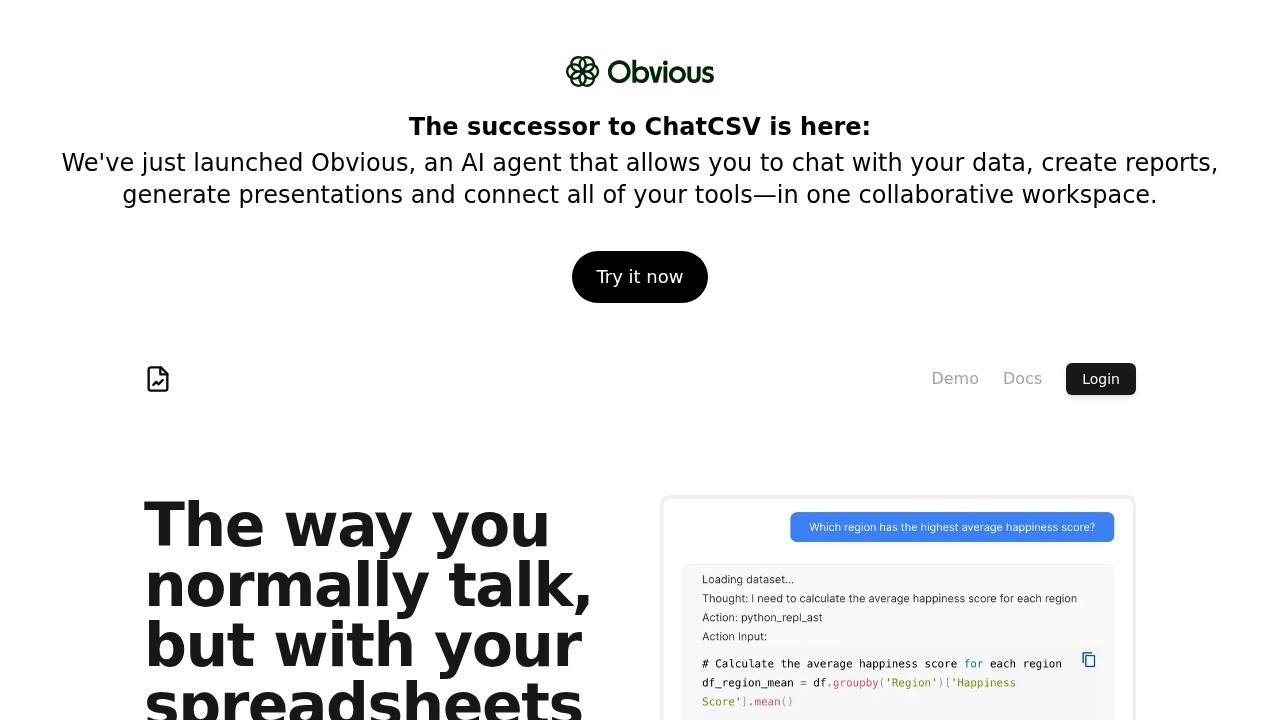
ChatCSV is a tool for asking questions about spreadsheet data in plain English. It describes itself as a personal data analyst and an "Ask Me Anything" for spreadsheets: you upload a CSV file and start a conversation about it, and the AI answers in text or charts. The site now presents ChatCSV alongside a broader AI agent that can chat with your data, create reports, generate presentations and connect your tools in one collaborative workspace.
Uploading data
You can upload a CSV from your computer, from a URL or from your clipboard.
Quick start questions
Once a file is uploaded, ChatCSV generates some common questions about your data, so you can start exploring even if you are not sure what to ask.
Charts
When you ask a visual question, ChatCSV responds with a chart. You can ask for a bar chart, a pie chart or another kind of visualisation.
Chat history
Your conversations are saved so you can come back to them later. You can rename, delete or share them with colleagues.
Use cases
The site gives examples from several industries. In retail and ecommerce, you might ask for a pie chart of sales distribution among product categories last quarter to understand trends, customer behaviour or inventory. In finance and banking, you could ask for a bar chart of the number of transactions per day over the last month. In marketing and advertising, you might ask for the click-through rate of your last five email campaigns.
Pricing
You can try ChatCSV from the site, and a demo and documentation are available. Detailed prices were not shown on the pages reviewed, so check the app for current plans and limits.
Who it suits
It suits business users who receive CSV exports from tools such as stores, CRMs or ad platforms and want quick answers without writing formulas or code.
Things to consider
AI analysis can misread columns or make calculation errors, so check important numbers against the source data. Remove personal or confidential data before uploading files to a third-party service, or check its data retention policy. Large or messy files may need cleaning first.
Details
- Pricing
- Freemium
- Release date
- 2025-09-27
- Last checked
- 4d ago
- Indexing
- index, follow
- Category
- Data
Suggest an edit
Sign in to suggest an edit.
Alternatives
 AskyourdatabasePower users get deeper controls, while casual users can ignore them. The result is a tool that scales from quick one-off tasks to larger recurring workloads. Before you decide, skip...
 Quills AIFor a straightforward look at an option like this, Quills AI is a sensible place to start. Visit quills.ai to see live examples and up-to-date details. The tool is free,...
 Excel Formula BotFreelancers use it to keep client work moving, while in-house teams rely on it for consistent output across projects. Either way, the routine parts of ai chatbots work get faster....
 Faraday AIPower users get deeper controls, while casual users can ignore them. The result is a tool that scales from quick one-off tasks to larger recurring workloads. It runs on a...
 Quadratic MultiplayerBefore you decide, skip the speculation and look at the source. quadratichq.com shows exactly what Quadratic Multiplayer does today and how to get started with it. Plenty of detail is...
 ChatGPTChatGPT review (October 2026): features, verified Free, Go, Plus and Pro pricing, who it suits, pros, cons and alternatives on AIMAPER.
 Gpt Builder Tools By Top RoadThe tool is free, which keeps the barrier to entry low. You can try it before deciding whether it earns a permanent place in your workflow. Built for ai chatbots...
 Watermelon PulseIt fits naturally into daily work. Whether you are handling a single quick task or a batch that would eat an afternoon, the tool keeps the pace steady. Away from...
 Meta AIMeta AI is Meta's free assistant inside WhatsApp, Instagram, Messenger and Facebook, with deep research, image editing and voice in 13 languages.
 UchatFor anyone who lives in the ai chatbots space, Uchat is a refreshing find. The setup is light, the results are solid, and nothing is hidden behind menus. There is...
 Visor AIPower users get deeper controls, while casual users can ignore them. The result is a tool that scales from quick one-off tasks to larger recurring workloads. The tool is free,...
 DokkoA few standout features include quick presets, template support, export in common formats, and the ability to keep recurring projects organized in one place. Built for ai chatbots work, Dokko...