


Sign in to rate this tool.
Overview
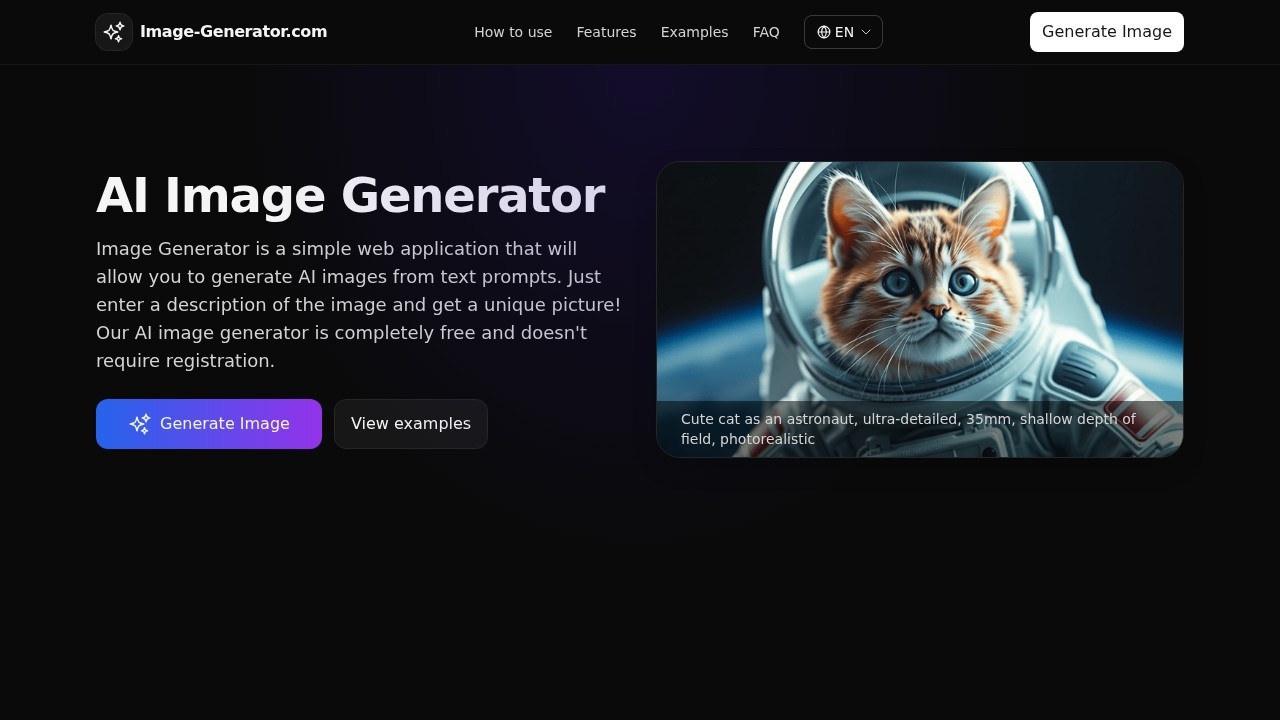
Image Generator Com lets you create AI‑powered images from text, all within a simple browser window. You don't need to register, and the whole process takes only a few seconds. Each image you generate is high‑resolution, ready for social media, design projects, or personal use.
You begin by typing a prompt that describes the scene you want. For example, “a cyberpunk city skyline at night with neon lights and flying cars” or “a 35mm portrait of a red fox with a shallow depth of field.” The longer and more specific the prompt, the more accurate the result. After the prompt, you choose a style from a dropdown menu. The options include realistic photography, anime, 3D render, watercolor, pixel art, and film noir. Picking a style changes the color palette, line work, and shading to match that visual genre. Next, you set an aspect ratio: 1:1 for square posts, 9:16 for vertical mobile stories, or 16:9 for widescreen. Once those three boxes are filled, clicking “Generate Image” launches the model, which usually returns the image in a few seconds, shorter when the prompt is simple, longer when it contains many details or a complex scene.
The service grants you up to ten free images per day. Each image is public domain‑style, meaning you can use it commercially without attribution, provided you respect fair‑use and ethical guidelines. The site offers prompt suggestions that showcase how to phrase prompts for specific styles, which is handy if you're unsure what to write. For instance, “ultra‑detailed 35mm portrait of a red fox, shallow depth of field, cinematic composition” yields a realistic photographic style, while “anime key visual of a sky city at dusk, studio quality, clean line art” produces an anime look. The tool does not provide a way to adjust image resolution beyond the built‑in options, and it does not support batch processing or API access.
This tool suits creatives who need quick, free images for blogs, social media, or personal mockups. It is less suitable for users who need high‑volume production, detailed post‑processing control, or integration into automated workflows, as there is no API or paid tier listed.
Details
- Pricing
- Free
- Release date
- 2026-01-16
- Last checked
- 1h ago
- Indexing
- noindex, follow
- Category
- Image
Suggest an edit
Sign in to suggest an edit.
Pros and cons
Pros
- No cost and no account setup
- Rapid generation, typically under a few seconds
- Broad style and ratio options for versatile output
Cons
- Limited to ten images per day
- No published pricing for higher‑volume or commercial licensing
- No API or batch processing support.
Alternatives
 Cleanup.picturesCleanup.pictures removes unwanted objects, people, text and defects from photos in the browser, free at 720px or full resolution with Pro.
 AI Cartoon GeneratorTeams running regular ai image generation campaigns turn to it for repeatable output, and solo creators use it to push through tasks that would otherwise stall their day. A few...
 Bulk Image GenerationPlenty of detail is tucked into the options area: adjustable quality levels, formatting choices, and automation that removes the repetitive part of ai image generation work. Freelancers use it to...
 SharpniqThe flexibility shows when the same tool is used to sketch a quick idea in the morning and to polish final work in the afternoon. Sharpniq brings a fresh take...
 PixlrPixlr is a free browser photo editor with AI generation, generative fill, upscaling and video and audio tools, plus cheap Plus, Premium and Ultra plans.
 DALL-E 3DALL·E in ChatGPT review (October 2026): DALL·E is retired; what ChatGPT Images now offers, plan access, pricing, pros, cons and alternatives.
 Fluxai Art Free AI Image GeneratorRather than chasing every possible feature, Fluxai Art Free AI Image Generator picks the ones that matter and does them well. That restraint is noticeable the first time you open...
 Chromatic LensIf ai business tasks take up too much of your day, Chromatic Lens is built to give you time back. It handles the heavy lifting while leaving you in control....
 MidjourneyMidjourney review (October 2026): AI image and video generator features, verified Basic to Mega pricing, licensing, pros, cons and alternatives.
 Image PipelineThe tool is free, which keeps the barrier to entry low. You can try it before deciding whether it earns a permanent place in your workflow. Before you decide, skip...
 AI Photo EditorIf ai image generation tasks take up too much of your day, AI Photo Editor is built to give you time back. It handles the heavy lifting while leaving you...
 ClipdropClipdrop by Jasper offers quick AI image tools for background removal, cleanup, relighting, uncrop and upscaling, free with daily limits or Pro at $15 a month.