


Cabina AI
Since tools in this space are updated frequently, visitors should confirm the latest information on the...
Sign in to rate this tool.
Overview
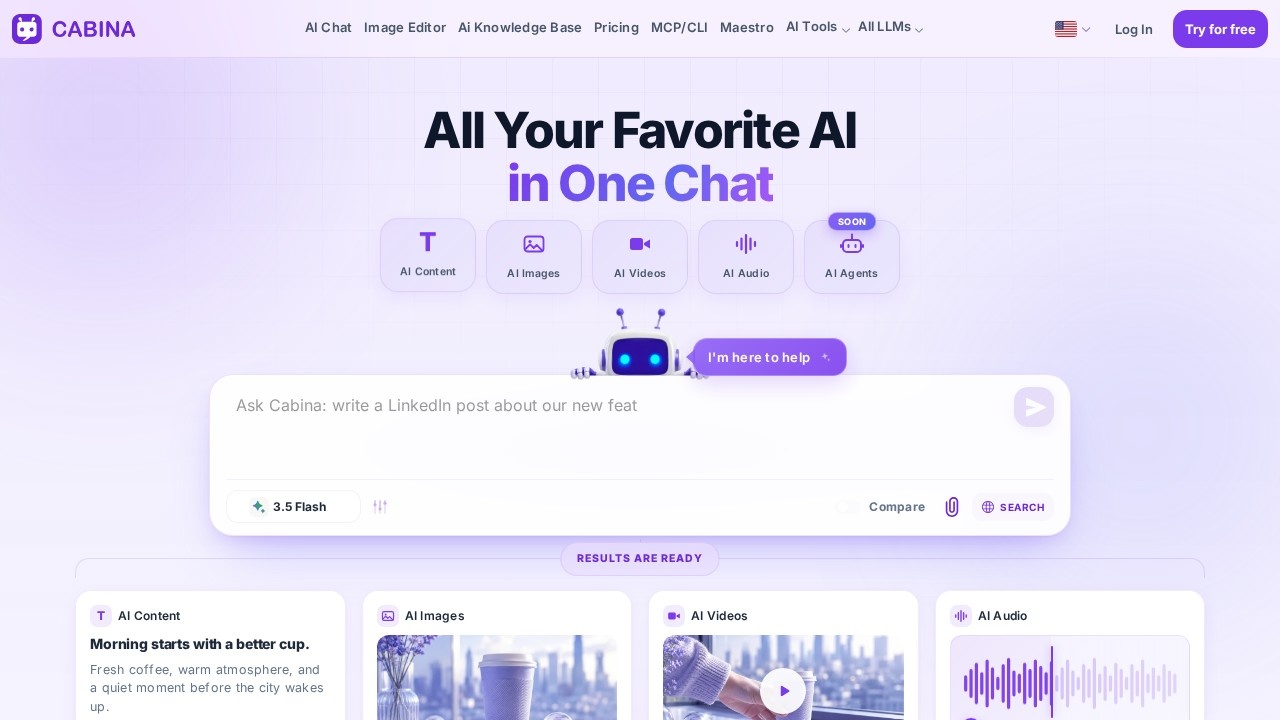
Cabina AI presents itself as an all‑in‑one workspace that pulls together a range of AI services under one roof. The landing page highlights a single search bar that serves as the entry point for all interactions. The layout features a gradient background and a central title, giving the design a modern but uncluttered feel. Visitors are encouraged to verify any details that may have changed since the page was first published.
When you enter a question or command into the search field, Cabina routes that text to a matching AI model or plugin. The response appears below the query, formatted according to the model's output type, plain text, code snippets, or short images. The tool shows cards for specific services such as “Content Writing” or “Code Assistant.” Each card lists a brief description and links to a dedicated page that expands on the prompts you can use and the workflow for that service. The dedicated pages also include example prompts, a diagram of the process flow, and bullet points that outline typical use cases. All interaction happens within the same browser tab, and the site does not require you to sign up for separate accounts for each service.
Cabina is intended for people who need a quick, single‑click access point to multiple AI applications. Freelance writers may favor the content‑writing card, while developers can use the code‑assistant card to generate or debug scripts. Project managers who want a quick data analytics report can navigate to the data‑analysis card and feed a descriptive prompt. The site does not discuss limitations on input length or output size, nor does it specify which language models power each card. It also lacks details about authentication, API keys, or whether any of the services run in the cloud or locally. Users looking for real‑time or high‑volume usage might find these gaps unhelpful. On the other hand, casual users who only need a few hits per day will likely find the tool sufficient, since the interface is clean and the responsive design ensures usability on both desktop and mobile screens.
Key features
- Central search bar that identifies and routes queries to the appropriate model
- Card catalog for distinct services with links to pages that supply sample prompts
- Responsive layout that reorganizes cards for smaller viewports
Details
- Pricing
- Free
- Release date
- 2026-02-12
- Last checked
- 7h ago
- Indexing
- noindex, follow
- Category
- Chatbot
Suggest an edit
Sign in to suggest an edit.
Pros and cons
Pros
- Unified workspace for multiple AI services
- Clearly labeled cards that guide users to specific functionalities
- Responsive design ensures usability across devices
- Sample prompts and workflow diagrams aid first‑time users
Cons
- No pricing information or subscription overview
- Lack of explicit input or output limits
- No detail on authentication or API access
- Ambiguous model selection and update policy not disclosed
Alternatives
 Quills AIFor a straightforward look at an option like this, Quills AI is a sensible place to start. Visit quills.ai to see live examples and up-to-date details. The tool is free,...
 Getbutton AI Chatbots For WebsitesIf ai chatbots tasks take up too much of your day, Getbutton AI Chatbots For Websites is built to give you time back. It handles the heavy lifting while leaving...
 Chatcsv CoPower users get deeper controls, while casual users can ignore them. The result is a tool that scales from quick one-off tasks to larger recurring workloads. If ai chatbots tasks...
 ChatGPTChatGPT review (October 2026): features, verified Free, Go, Plus and Pro pricing, who it suits, pros, cons and alternatives on AIMAPER.
 Excel Formula BotFreelancers use it to keep client work moving, while in-house teams rely on it for consistent output across projects. Either way, the routine parts of ai chatbots work get faster....
 HubtypeIt is a practical choice for ai chatbots work, and the honest way to evaluate it is to give it a spin. Start at hubtype.com for the latest information. What...
 Watermelon PulseIt fits naturally into daily work. Whether you are handling a single quick task or a batch that would eat an afternoon, the tool keeps the pace steady. Away from...
 Asklo AIThere is a deliberate calm to how Asklo AI works. Loading screens are short, buttons do what they say, and your work is saved where you expect it to be....
 Sup Standup BotIt is a practical choice for ai chatbots work, and the honest way to evaluate it is to give it a spin. Start at sup.today for the latest information. The...
 HostyaiThe flexibility shows when the same tool is used to sketch a quick idea in the morning and to polish final work in the afternoon. It is a practical choice...
 ChatPDFChatPDF lets you upload a PDF, Word, PowerPoint or text file and ask questions, with answers that cite the page they came from.
 Saga AIPricing is free, and there is no pressure to commit before you have seen results in your own context. For anyone who lives in the ai productivity space, Saga AI...