


Sign in to rate this tool.
Overview
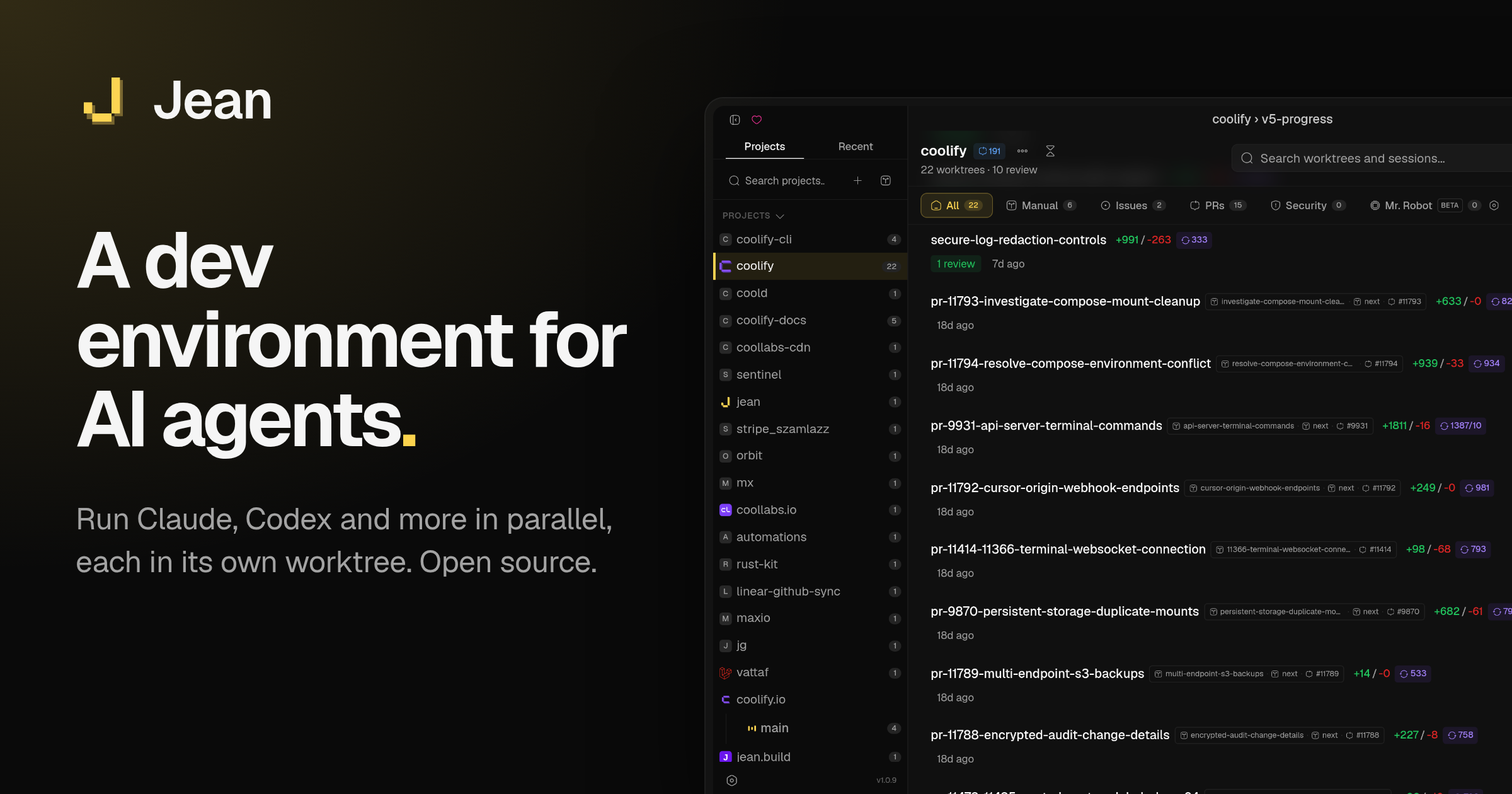
Jean is an open‑source development environment that lets you run AI agents in isolated git worktrees. You can run it on a laptop or on a dedicated Linux server and connect from a browser or the native desktop app. It supports Claude CLI, Codex CLI, OpenCode, Cursor, Pi, Command Code, Grok, and Kimi Code, and it is free forever under the Apache 2.0 license.
When you launch Jean you create a project that appears in the sidebar. Each issue, pull request, or prompt gets its own git worktree so the agent's changes do not interfere with others. The tool bundles a set of “magic” git commands that can commit, review, open pull requests, and resolve merge conflicts automatically. You can run several agents concurrently, each attached to a different branch or task. The desktop app can connect to multiple remote jean‑server instances, which keeps work running even if you shut down your local machine. A token‑protected browser UI is also available, and the team recommends using Tailscale or a similar VPN rather than exposing the server publicly.
Jean's opinionated design simplifies workflow selection. It installs the RTK proxy, which compresses tool‑output tokens by 60–90 %, and the Caveman Claude skill, which shortens Claude replies by 65–75 %. Each session has a dedicated terminal, chat history, and build of the source code tied to that worktree. The linear integration pulls issues from Linear directly into a session, and a linked‑projects feature shares context across related repositories. The interface is consistent whether you access it through the native app or the web UI; every session, terminal, and git action runs on the server that owns the project, eliminating the need to switch contexts.
Key features
- Dedicated git worktree per AI agent session
- Parallel execution of multiple agents without repository conflicts
- Automatic git operations: commit, review, open PR, resolve conflicts
- Built‑in RTK proxy and Caveman skill to cut token usage
- GitHub and Linear integrations for issue and PR handling
- Remote server support: run jean‑server on Linux and connect via SSH or token‑protected browser
Details
- Pricing
- Free
- Last checked
- 18h ago
- Indexing
- noindex, follow
- Category
- Code
Suggest an edit
Sign in to suggest an edit.
Pros and cons
Pros
- Open source, Apache 2.0 licensed, free forever
- Supports multiple AI coding agents through CLI interfaces
- Runs engine locally or on a server with no feature gating
- Includes token‑saving utilities (RTK, Caveman)
- Smooth integration with GitHub, Linear, and other project tools
Cons
- Desktop builds for Windows and Linux need further testing
- Server setup requires Linux; Windows support is limited
- No published pricing or usage limits, but you must provide your own AI API access
- Documentation for advanced configuration is still evolving
Alternatives
 Kilo AIUnderneath it all, the processing is efficient enough for everyday use. Large inputs take a moment, but ordinary work flows through without interruption. Kilo AI brings a fresh take on...
 Dhtmlx ChatbotThe tool is free, which keeps the barrier to entry low. You can try it before deciding whether it earns a permanent place in your workflow. For a straightforward look...
 OpensilverAccording to its listing, Opensilver is an AI tool...
 ClineCline is an open-source coding agent for VS Code, the terminal, desktop and cloud that works with your choice of model provider and your own API keys.
 LitellmThe tool has been refined through real use. Settings, history, and templates are organized so repeat work takes less effort each time. Litellm brings a fresh take on ai education...
 GitHub CopilotGitHub Copilot review (October 2026): AI coding assistant in your editor and on GitHub, verified Free, Pro, Pro+ and Max plans and AI Credits explained.
 ImagekitIf ai coding tasks are part of your routine, Imagekit is worth testing against your own use cases. Their website, imagekit.io, has the full details. It runs on a free...
 QodoQodo (formerly CodiumAI) reviews pull requests with multiple AI agents that learn your team's rules, check cross-repo impact and map your services.
 CursorCursor review (October 2026): AI-first code editor with agents, verified Hobby, Pro, Pro+, Ultra and Teams pricing, privacy mode, pros and cons.
 WarpWarp pairs a modern terminal with coding agents and cloud agent fleets, with usage included at API rates on its Build, Max and Business plans.
 BeamFor a straightforward look at an option like this, Beam is a sensible place to start. Visit getbeam.ai to see live examples and up-to-date details. The feature set covers the...
 MacgptSmall operations appreciate the low setup cost, and larger teams value the consistency. Both end up spending less time on busywork and more on the actual result. Plenty of detail...