


Sign in to rate this tool.
Overview
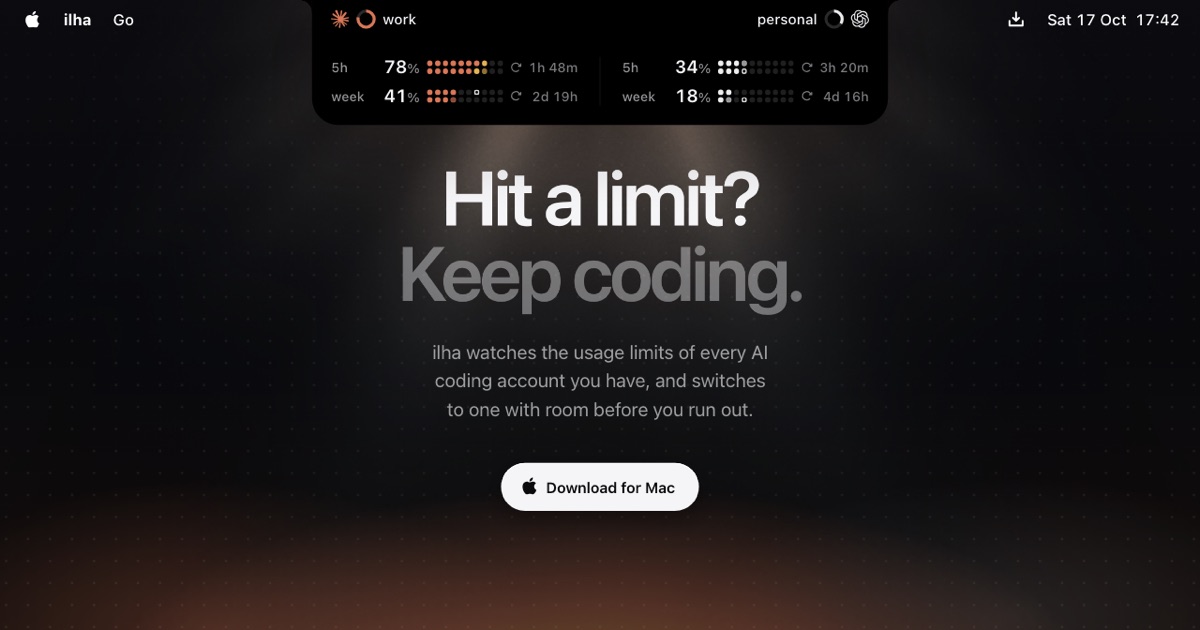
Ilha is a lightweight Mac app that keeps an eye on your Claude Code, Codex, and Grok Build usage limits. It shows the remaining portion of each account's hour, daily, and weekly caps right in the notch and can switch accounts before you hit a limit.
If you run a lot of coding sessions with OpenAI's tools, the app lets you see how many hours and how much of your 5‑hour daily quota each account has already used. When a session is about to hit a cap, say at 90%, ilha offers a single click to move to another account that has free space. At 98% it switches automatically, so your workflow never stops for a cooldown. After the switch, you can still undo the change if you prefer the original account.
Is it suitable for small teams or solo developers? Yes. The interface lists two accounts per CLI by default and highlights which one has enough room. You can also view project‑level usages, such as how much a certain work project cost that week at the current API rates. The data stays on your machine; nothing is sent to an external server except an anonymous usage statistic that is stripped of any personal identifiers.
You install the free version on any Mac running macOS 15 or newer. The free tier shows limits and lets you manually switch accounts. If you need automatic switching, the Pro upgrade costs $20 once and includes a year of updates. After that year the Pro licence remains active on every version of the app you have installed, and you can renew anytime. The pro model does not require a credit card to start; the first 14 days of Pro are free for any new machine. When you upgrade, your login details are stored securely in the macOS Keychain, and the app never records or transmits your usage data.
Ilha supports every account that is logged into your command‑line interface (CLI) for Claude Code, Codex, and Grok Build. You only need to add the accounts to the app; it detects the active keychain items automatically. No account can be created within the app; you must create it in the OpenAI portal.
Because the application seldom needs network coverage, you can work offline.
Details
- Pricing
- Free
- Last checked
- 20h ago
- Indexing
- noindex, follow
- Category
- Code
Suggest an edit
Sign in to suggest an edit.
Pros and cons
Pros
- Keeps coding sessions uninterrupted by preemptive account switches
- Displays detailed usage metrics without sending personal data to the cloud
- One‑time fee covers a full year of updates across multiple Macs
- Auto‑switch feature reduces manual account management
Cons
- Only supports macOS 15 or later
- No in‑app account creation; accounts must exist in the CLI first
- The free tier relies on manual switching, which may interrupt rapid workflows
- Limited to Claude Code, Codex, and Grok Build; no other AI services are tracked
Alternatives
 Dhtmlx ChatbotThe tool is free, which keeps the barrier to entry low. You can try it before deciding whether it earns a permanent place in your workflow. For a straightforward look...
 WarpWarp pairs a modern terminal with coding agents and cloud agent fleets, with usage included at API rates on its Build, Max and Business plans.
 GitHub CopilotGitHub Copilot review (October 2026): AI coding assistant in your editor and on GitHub, verified Free, Pro, Pro+ and Max plans and AI Credits explained.
 Veryfi ComIf ai coding tasks are part of your routine, Veryfi Com is worth testing against your own use cases. Their website, veryfi.com, has the full details. Small operations appreciate the...
 CursorCursor review (October 2026): AI-first code editor with agents, verified Hobby, Pro, Pro+, Ultra and Teams pricing, privacy mode, pros and cons.
 AI Assisted Contember StudioThe tool may appeal to individuals and teams looking for help with ai coding work,...
 QodoQodo (formerly CodiumAI) reviews pull requests with multiple AI agents that learn your team's rules, check cross-repo impact and map your services.
 ChatboxPower users get deeper controls, while casual users can ignore them. The result is a tool that scales from quick one-off tasks to larger recurring workloads. The tool is free,...
 MacgptSmall operations appreciate the low setup cost, and larger teams value the consistency. Both end up spending less time on busywork and more on the actual result. Plenty of detail...
 v0 by Vercelv0 by Vercel generates full-stack web apps from prompts, syncs with GitHub and deploys to Vercel in one click, with per-model token pricing.
 ImagekitIf ai coding tasks are part of your routine, Imagekit is worth testing against your own use cases. Their website, imagekit.io, has the full details. It runs on a free...
 ReplitReplit is a browser-based builder where an AI Agent writes, hosts and publishes full apps from a plain-language description, with database and auth built in.