


Rush Roto Product Photo A I
What stands out most is predictability. The same input produces dependable output, which matters when you are producing work for clients or publishing on a schedule. It runs on a...
Sign in to rate this tool.
Overview
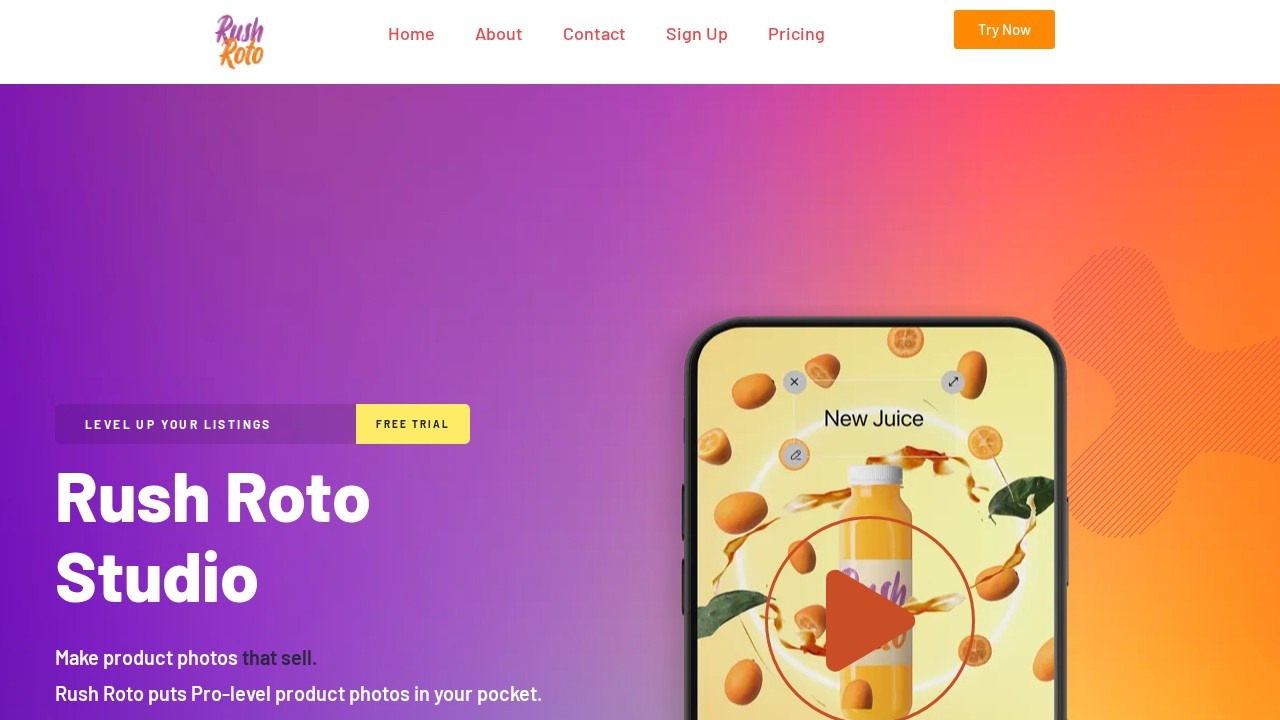
RushRoto Studio is an AI tool for creating product photos and promotional videos for online listings. It aims to give small sellers professional-looking images without expensive photo shoots or editing software. The workflow is drag, drop, done: upload a product photo, apply an AI template and export a listing image or a short video.
Features
Instant image AI places your product into new scenes and backgrounds in minutes, with no editing skills needed. Background removal cleans up product shots. A video editor turns images into short promos, with background music included. Templates are made by graphic designers, marketers and advertisers, and are designed to stop people scrolling on social media and shop pages. The site quotes Shopify saying shoppers are 64 percent more likely to buy after watching a product video.
Pricing
The free Basic plan includes 30 AI image generations, 200 background removal credits, SD photo exports, the video editor and free background music. Maker costs 14.99 dollars per month and adds 1,000 AI image generations, HD exports, Maker AI templates and premium music. Mogul costs 49.99 dollars per month and offers unlimited AI images, exclusive templates and music, and custom AI templates. Annual billing lowers the monthly price, for example Maker at about 12.50 dollars.
Who it is for
It suits Etsy, Shopify, Amazon and eBay sellers, small brands launching products, and social media sellers who need many images and quick video ads but do not have a photographer or designer.
Things to consider
AI scenes can make a product look different from reality, for example changing its size, colour or texture. Marketplaces require images to show the product accurately, and misleading images lead to returns and bad reviews. Amazon in particular has strict rules for the main image, which usually must be on a pure white background. Check exports carefully before uploading. Start with the free plan to see how well the AI handles your product type, since shiny, transparent or very detailed products are harder. Keep your original photos for future edits.
For sellers on a budget, the free plan is a low-risk way to try it.
Details
- Pricing
- Freemium
- Release date
- 2025-11-09
- Last checked
- 3d ago
- Indexing
- index, follow
- Category
- Ecommerce
Suggest an edit
Sign in to suggest an edit.
Alternatives
 Image PipelineThe tool is free, which keeps the barrier to entry low. You can try it before deciding whether it earns a permanent place in your workflow. Before you decide, skip...
 The New BlackBefore you decide, skip the speculation and look at the source. thenewblack.ai shows exactly what The New Black does today and how to get started with it. Plenty of detail...
 Depix AIThe tool is free, which keeps the barrier to entry low. You can try it before deciding whether it earns a permanent place in your workflow. What stands out most...
 Scenario ComFreelancers use it to keep client work moving, while in-house teams rely on it for consistent output across projects. Either way, the routine parts of ai image generation work get...
 Bulk Image GenerationPlenty of detail is tucked into the options area: adjustable quality levels, formatting choices, and automation that removes the repetitive part of ai image generation work. Freelancers use it to...
 EraserEraser is a ai image generation assistant that focuses on one thing: making the work easier. It skips unnecessary clutter and gets straight to useful output. Rather than chasing every...
 Webo AIFreelancers use it to keep client work moving, while in-house teams rely on it for consistent output across projects. Either way, the routine parts of ai image generation work get...
 Resleeve AITeams running regular ai image generation campaigns turn to it for repeatable output, and solo creators use it to push through tasks that would otherwise stall their day. The tool...
 Tensor.ArtTensor.Art is a free online image generator and model hosting site where you run community checkpoints and LoRAs or use guided tools like OC Creator.
 Facelessvideos AIAI tool to create faceless videos for YouTube and TikTok from a text prompt.
 ImagekitIf ai coding tasks are part of your routine, Imagekit is worth testing against your own use cases. Their website, imagekit.io, has the full details. It runs on a free...
 DALL-E 3DALL·E in ChatGPT review (October 2026): DALL·E is retired; what ChatGPT Images now offers, plan access, pricing, pros, cons and alternatives.